
How to Receive Leads and Prepare a Home Value Report
Getting the lead is step one. What you do in the first conversation, and how you present the number, is what actually turns a home value request into a client relationship. Here's how the lead reaches you, and a practical approach to preparing something better than a one-line estimate.

How the lead reaches you
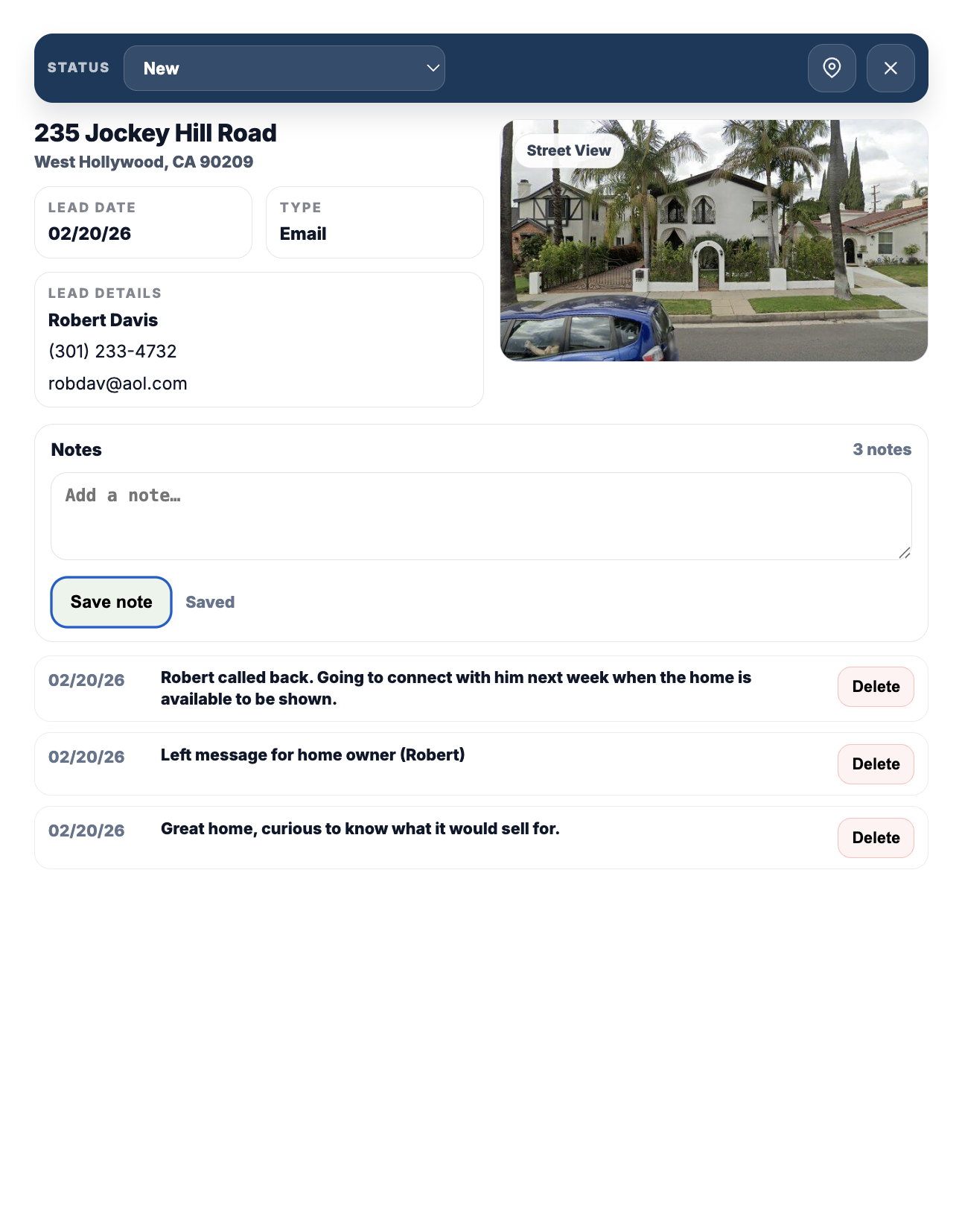
When a homeowner in your sponsored ZIP submits a request, you get an email notification right away, and the full record appears under Leads in your portal. Each lead includes the homeowner's name, phone, email, delivery preference (text, email, or phone), the property address, and a street-view image of the home when one is available.
From the lead's detail view you can update its status as you work it (new, contacted, appointment set, etc.), and add timestamped notes so the history is there if someone else on your team needs context, or if you're picking it back up after a few weeks.
What the homeowner already saw before contacting you
Worth knowing before you reach out: the homeowner already received an automated estimate, similar in spirit to a Zestimate. That number is a starting point built from public and market data, not a substitute for a professional opinion, and homeowners are generally aware of that. What they're looking for from you is the judgment an algorithm can't apply: recent comparable sales an automated model might miss, the impact of a renovation or a specific defect, and a realistic read on current local demand.
A practical approach to preparing the report
You don't need a special tool from us to do this well, it's the same core process behind any solid CMA (comparative market analysis):
- Pull 3-5 true comparables. Similar square footage, bed/bath count, lot size, and condition, sold within the last 3-6 months if possible, and as close geographically as the market allows.
- Adjust for what's actually different. A finished basement, an updated kitchen, a smaller lot, each of these should move the number up or down from the raw comp average, and you should be able to explain why.
- Layer in what only a local agent would know. A new development going in nearby, a school boundary change, unusually low current inventory, these are the details that make your number more credible than the automated one the homeowner already has.
- Bring a price range, not just a single number. A defensible range (with the reasoning behind it) reads as more credible than a single figure with no explanation, and gives you room to talk through pricing strategy in the actual conversation.
The goal isn't to out-compute the automated estimate, it's to show the homeowner a level of local, specific reasoning that no algorithm produces. That's usually what turns a report into a listing conversation.
Following up
Respond quickly, ideally same-day. A homeowner requesting a home value report is actively curious about their equity or a potential sale right now, that window closes as it gets older. Use their stated delivery preference for the first touch (text, email, or phone), and log a note in the lead record after each contact attempt so your follow-up stays organized if it takes a few tries to connect.
One reminder that applies regardless of how you follow up: you're responsible for complying with TCPA and Do-Not-Call rules and any other applicable regulations when contacting leads. Nationwide Home Values doesn't provide legal advice on this, and the compliance reminder in your portal is there as a prompt, not a substitute for knowing the rules that apply to your outreach methods.
Frequently asked questions
Where do I see new leads?
Under Leads in your agent portal, alongside an email notification sent the moment the request comes in.
Does Nationwide Home Values generate the CMA or report for me?
No. We route the lead and the homeowner's basic request details to you. Preparing the comparative market analysis and the actual valuation conversation is the agent's expertise, that's the value you're bringing to the relationship.
What information comes with each lead?
Name, phone, email, delivery preference, property address, and a street-view image when available. You can add your own notes and track status from there.
How quickly should I respond to a new lead?
As close to same-day as possible. A home value request reflects active curiosity, and that interest tends to fade the longer it takes to hear back.
Ready to see what's available in your market?
Search ZIP availability and pricing instantly. No obligation to sponsor until you're ready.